What Parents Actually See in a School Bus Tracking App (and What the School Controls)
Last checked: 10 October 2026. By the My School Ride team. My School Ride is a product of Satcop India Pvt. Ltd.
When a school introduces a bus tracking app, two groups have questions. Parents want to know what they will see on their phone. School managements want to know what they are sharing, and what stays under their control. This post answers both, so the transport office can explain the app clearly before it goes live.
It is written for schools, not parents. If you need a guide to share with parents directly, My School Ride has a Hinglish parents' guide to tracking the school bus.
What parents see
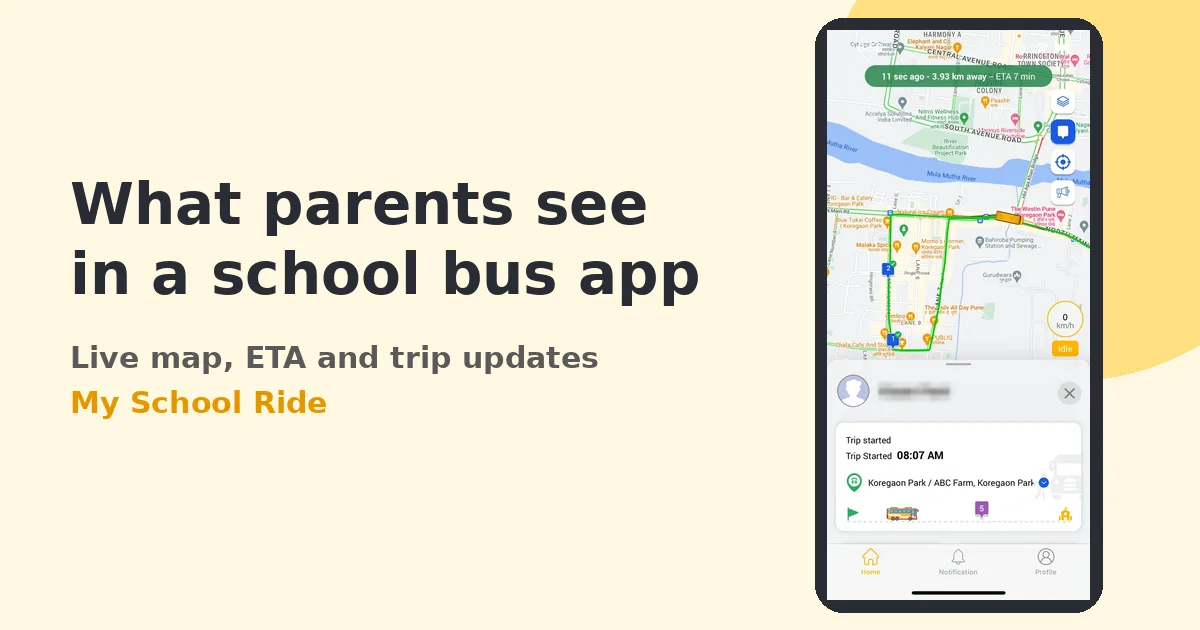
The bus on a live map
Parents see their child's bus moving on a map during the trip. They see only the bus or buses linked to their child, not the whole fleet.
ETA for their stop
The app estimates when the bus will reach the parent's stop, based on the bus's live position. This is the feature parents use most, because it tells them when to leave home.
Arrival and nearby alerts
Parents can get a notification when the bus is close to their stop and when it reaches school.
Boarding and drop-off alerts
Where the school uses RFID attendance, parents can get an alert when their child taps in on boarding and taps out on drop-off.
Messages from the school
The transport office can send updates, such as a route change, a late bus or a holiday schedule, to the parents of a route or the whole school.
Basic trip details
Depending on the school's settings, parents may see the route and stop name and the driver or attendant contact the school chooses to share.
What parents do not see
- Other buses, or other children's details.
- Driver performance data such as overspeed alerts.
- Camera footage. Schools handle footage requests through their own policy.
- Trip history beyond what the school chooses to show.
Making this clear up front prevents misunderstandings and protects staff and students.
What the school controls
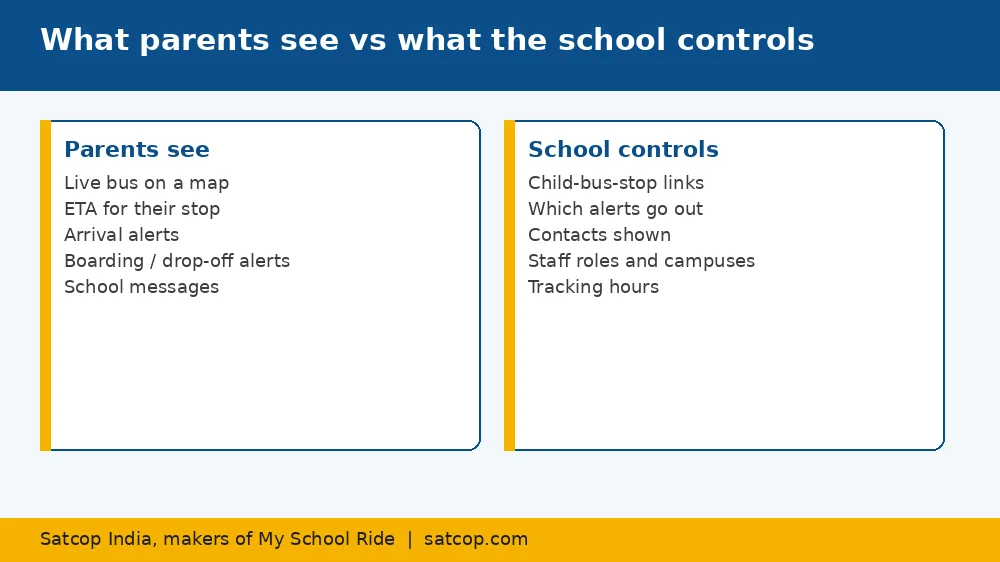
The transport office decides:
- Which parents are linked to which bus and stop. The stop list in the system must match reality.
- Which alerts parents receive. Most schools enable ETA, arrival and boarding alerts.
- Which contact details are shown. Some schools show the attendant's number; others route all calls to the office.
- Who on the staff can see what. Role-based logins mean a campus coordinator sees only their campus.
- When tracking is visible to parents. Typically during school trip times only.
These settings live in the school dashboard of our school bus tracking solution.
Privacy basics schools should explain
Parents often ask whether the app tracks their own phone. It does not; it shows the location of the bus. Explain:
- the app shows the bus position during trip times;
- student details are visible only to authorised school staff and the child's own parents;
- the school decides what is shared and can change it.
A short privacy note in the welcome message builds trust from day one.
Common parent questions, and good answers
"Why is the bus not showing?" Usually the trip has not started yet or the phone has no internet. If a bus is offline for a long time, the office will see a device offline alert and act on it.
"Why is the ETA wrong?" Often the stop pin is in the wrong place. Ask parents to report it so the office can fix it.
"Can I see the bus for my second child?" Yes, if both children are linked to the parent's account.
"Can I call the driver?" Only if the school shares that number. Many schools prefer calls to go to the transport office.
Getting it right in the first week
- Check every stop pin before launch.
- Send a short how-to guide, in English and the local language.
- Have one person in the office handle app questions for the first two weeks.
- Collect feedback and fix stops and routes quickly.
City notes
Parents in Bengaluru, Hyderabad, Pune, Mumbai and Gurugram tend to adopt apps fast and expect accurate ETAs. In cities where many schools are new to GPS, such as Kolkata, Ahmedabad, Lucknow, Jaipur or Indore, a printed how-to sheet and a short parent meeting help. In Chennai, Kochi and Coimbatore, guides in Tamil or Malayalam alongside English increase adoption.
Satcop India's head office is in Pune (Kharadi) and we have an office in Hyderabad (Gachibowli). In other cities we serve schools and demo on your campus.
The app
My School Ride is the parent and school app we build for this, used by 200+ schools, 10,000+ buses and 200,000+ students. It works with our India-made school bus GPS device.
Measuring whether the app is working
After the first month, look at three simple signs. How many parents have logged in at least once? How many "where is the bus?" calls does the office still get each morning? And which stops generate the most complaints about ETAs? Rising logins and falling calls show the rollout is working. Stops with repeated ETA complaints usually need their pin moved or the route timing adjusted. Share these results with the principal so the school can see the value of the system and decide where to add attendance or cameras next.
Frequently asked questions
What can parents see in a school bus tracking app?
The live location of their child's bus, an ETA for their stop, arrival alerts, boarding and drop-off alerts where RFID is used, and messages from the school.
Does the school bus app track the parent's phone?
No. It shows the location of the bus, not the parent's phone.
Can parents see other children or other buses?
No. Parents see only the bus linked to their own child.
Who decides what parents see?
The school, through settings in the school dashboard.
Is there a cost for parents?
Ask your school; pricing for the school is by quote.
Explore My School Ride
Book a demo
Tell us your city and how many buses you run. Book a demo · Ask for a quote · Chat with us on WhatsApp (+91 91560 88090) · Call +91 8600 002222
Sources
- Features as on myschoolride.com and satcop.com (read 10 Oct 2026). "Is there a cost for parents" answered without a price claim.