Speed, Route and Late Alerts: What Each School Bus Alert Means and Who Should Get It
Last checked: 10 October 2026. By the My School Ride team. My School Ride is a product of Satcop India Pvt. Ltd.
A school bus tracking system can send many alerts. Used well, they help the transport office spot a problem early and fix it. Used badly, they flood phones with messages nobody reads. The difference is knowing what each alert means, what action it should trigger, and who should receive it.
This post explains the common school bus alerts and suggests a simple way to route them. It applies to schools in any city, from Pune, Mumbai and Nagpur to Delhi NCR, Bengaluru, Hyderabad, Chennai, Kolkata and Ahmedabad.
Why alerts need a plan
When every alert goes to everyone, three things happen. People mute notifications. Real problems get missed among routine ones. And drivers feel watched rather than supported. A plan that sends each alert to one owner, with one clear action, fixes all three.
The common alerts
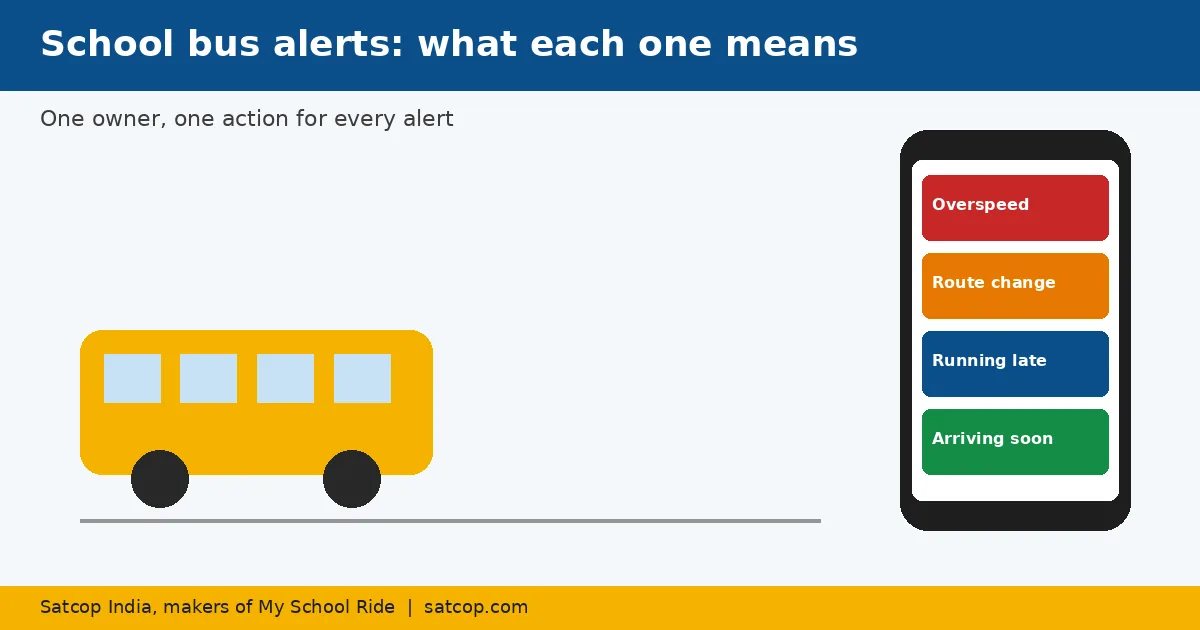
1. Overspeed alert
What it means: the bus crossed a speed limit set by the school for that bus or route.
Why it matters: speed is the most direct driving risk, and drivers running late are tempted to make up time.
Who gets it: the transport head or route supervisor, not parents.
Action: call the driver if it is repeated on the same trip; review weekly in trip history; discuss patterns, not single spikes.
2. Route deviation alert
What it means: the bus left its planned route.
Why it matters: it may be a sensible detour around a jam or waterlogging, or it may be an unplanned stop.
Who gets it: the transport office.
Action: confirm the reason with the driver; if the detour is safe and repeated, update the route; tell parents if stops are affected.
3. Late running or ETA alert
What it means: the bus is running behind its usual time.
Why it matters: parents waiting at stops and staff at the gate need to know.
Who gets it: parents of affected stops (as ETA in the app) and the transport office.
Action: parents adjust when they leave home; the office checks if the delay is unusual.
4. Arrival or nearby alert
What it means: the bus is close to a parent's stop or has reached school.
Who gets it: parents, through the My School Ride app.
Action: parents bring the child to the stop on time; less waiting at the roadside.
5. Boarding and drop-off alert
What it means: a student tapped an RFID card when getting on or off. See RFID attendance.
Who gets it: that student's parents.
Action: reassurance for parents; the attendant checks any regular student who did not tap in.
6. Device offline alert
What it means: a bus's GPS device has stopped reporting.
Who gets it: the transport office or the person who handles vendor support.
Action: check if the bus is simply parked with ignition off; if not, raise a service request the same day. A fixed school bus GPS device makes this alert reliable, because it reports by itself.
7. Geofence alert
What it means: the bus entered or left a set area, such as the school campus or depot.
Who gets it: the transport office.
Action: confirms buses left the depot and reached school on time; useful for daily start-of-day checks.
A simple alert routing table
| Alert | Parents | Transport office | Principal |
|---|---|---|---|
| Overspeed | No | Yes | Weekly summary |
| Route deviation | Only if stops change | Yes | No |
| Late running / ETA | Yes (in app) | Yes | No |
| Arrival / nearby | Yes | No | No |
| Boarding / drop-off | Yes (own child) | Exceptions | No |
| Device offline | No | Yes | No |
| Geofence | No | Yes | No |
Adjust it to your school, but keep the idea: one owner, one action.
Setting sensible limits
- Speed limits: set them per route. A highway route and a narrow residential route need different limits. Agree the numbers with your transport committee.
- Late thresholds: a few minutes late is normal in heavy traffic. Set the threshold where a parent would actually change plans.
- Quiet hours: route alerts on weekends or holidays usually mean a bus is being used for something else, which the office should know about.
Using alerts with drivers
Alerts work best as a starting point for a conversation. A weekly five-minute review with each driver, looking at that week's overspeed and route alerts in trip history, does more than an angry phone call. Recognise drivers who have a clean week. Over a term, alert counts usually fall as drivers see the school is paying attention fairly.
City notes
- Mumbai, Kolkata and Kochi: monsoon detours trigger many route alerts; expect more in June to September and update routes when a detour becomes permanent.
- Delhi NCR: fog mornings bring late-running alerts; send one app message to parents rather than many calls.
- Bengaluru, Hyderabad and Pune: traffic-heavy corridors make ETA alerts the most valued by parents.
- Jaipur, Ahmedabad, Lucknow and Indore: growing suburbs mean routes change each session; reset route deviation settings when you do.
Satcop India's head office is in Pune (Kharadi) and we have an office in Hyderabad (Gachibowli). In other cities, we serve schools and demo on your campus.
Where we fit
Our school bus tracking solution includes these alerts with role-based access, and the My School Ride app delivers parent alerts. My School Ride is used by 200+ schools, 10,000+ buses and 200,000+ students. See also our transport monitoring solution.
Frequently asked questions
What is a school bus overspeed alert?
It is a notification sent when a bus crosses a speed limit set by the school. It usually goes to the transport office so they can follow up with the driver.
Should parents get every school bus alert?
No. Parents usually need ETA, arrival and boarding alerts for their own child. Overspeed and device alerts are for the transport office.
What does a route deviation alert mean?
The bus has left its planned route. It may be a safe detour around traffic, so the office checks with the driver before acting.
How do we stop alert overload?
Give each alert one owner and one action, set sensible limits per route, and review patterns weekly rather than reacting to every alert.
How much does a system with alerts cost?
It depends on bus count and features. Ask for a quote.
Explore My School Ride
Book a demo
Tell us your city and how many buses you run. Book a demo · Ask for a quote · Chat with us on WhatsApp (+91 91560 88090) · Call +91 8600 002222
Sources
- Alerts as described on satcop.com school pages and myschoolride.com (read 10 Oct 2026). No speed numbers set; schools choose their own.