Rolling Out a Bus Tracking App to 2,000 Parents: A School Communication Plan
Last checked: 10 October 2026. By the My School Ride team. My School Ride is a product of Satcop India Pvt. Ltd.
The figure of 2,000 parents in this post is an illustrative example of a mid-sized school, not a statistic.
Buying a school bus tracking system is the easy part. Getting 2,000 parents to install the app, log in, find the right bus and trust the ETA is where many rollouts stumble. When it goes well, calls to the school office drop sharply within weeks. When it goes badly, parents decide in the first three mornings that "the app doesn't work" and never open it again.
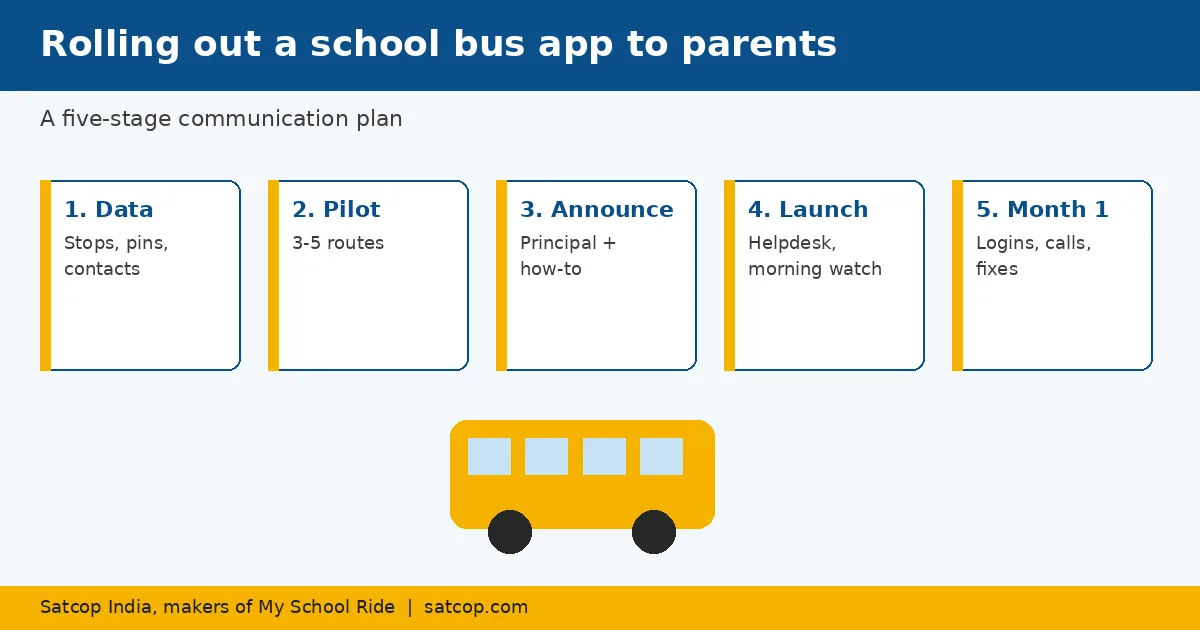
This plan breaks the rollout into five stages, with a simple checklist for each. It works for a single campus in Pune or a chain of schools across Mumbai, Delhi NCR, Bengaluru, Hyderabad, Chennai, Kolkata, Ahmedabad and beyond.
Stage 1: Get the data right (3–4 weeks before launch)
Parents judge the app by whether it shows their bus at their stop. That depends on data the school controls.
- Student–bus–stop list. Every student linked to the correct bus and stop. Export it from your admissions or transport records and check it route by route.
- Parent contacts. One verified mobile number per parent, ideally two per student.
- Stop pins. Place each stop pin exactly where the bus stops, not at the society's main gate if the bus waits at the side road. Wrong pins cause most ETA complaints.
- Devices online. Confirm every bus's GPS device is reporting for at least a week before launch.
Stage 2: Pilot with a few routes (2 weeks before)
Pick 3 to 5 routes with different conditions: one long, one short, one with many new stops. Invite those parents first.
- Ask a parent volunteer on each route to report any issue daily.
- Fix stop pins and timings based on what they report.
- Note the questions parents ask; they become your FAQ.
Stage 3: Announce and invite (1 week before)
Send one clear announcement from the principal, followed by a how-to from the transport office.
What the announcement should say:
- why the school is introducing the app (safety and less waiting at stops);
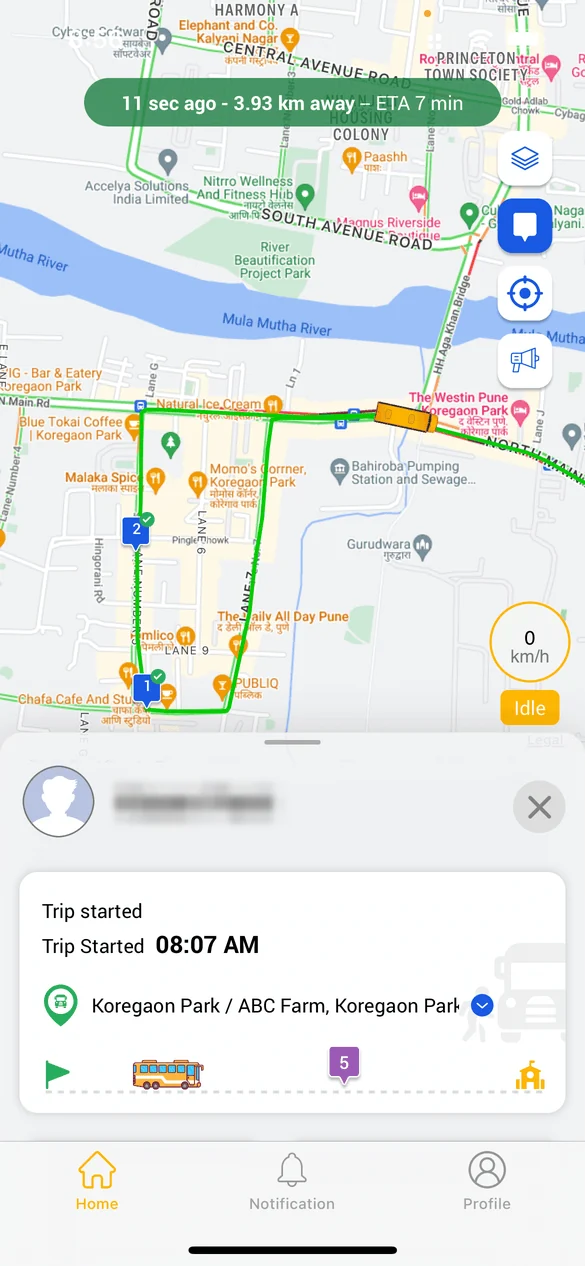
- what parents will see: the bus on a map, ETA, arrival and boarding alerts;
- that the app shows the bus, not the parent's phone;
- when it goes live and who to contact with questions.
What the how-to should include:
- download link and login steps, with screenshots;
- how to find the bus and set stop alerts;
- what to do if the bus is not showing.
Send it in English and the main local language: Marathi in Pune and Mumbai, Hindi across Delhi NCR, Lucknow and Jaipur, Kannada in Bengaluru, Telugu in Hyderabad, Tamil in Chennai, Bengali in Kolkata, Gujarati in Ahmedabad and Surat.
Stage 4: Launch week
The first five school days decide adoption.
- One named helpdesk person in the office for app questions, with a fixed WhatsApp or phone line.
- Class teacher reminders on day one and day three.
- Morning watch: the transport office checks the live map from bus start to arrival, and calls drivers of any bus not showing.
- Daily fix list: log every complaint, fix stop pins and links the same day, and reply to the parent when it is fixed.
- Parent meeting slot: for schools where many parents are new to apps, a 15-minute demo after a PTM helps.
Stage 5: The first month and after
- Track adoption. How many parents have logged in at least once? Follow up on routes with low numbers.
- Track calls. Count "where is the bus" calls each morning; they should fall week by week.
- Fix ETA hot spots. Stops with repeated complaints need pin or timing changes.
- Add features gradually. Once tracking is trusted, introduce RFID boarding alerts.
- New admissions. Build app onboarding into the admission process so new parents join automatically.
Handling the hard questions
"I don't want my child tracked." Explain that the app tracks the bus, not the child, and attendance taps record boarding only.
"The ETA was wrong this morning." Thank them, check the stop pin and the trip history, and reply with what was fixed.
"My phone is old." Offer an SMS or call option through the office for the few parents who cannot use the app.
"Why can't I call the driver?" Many schools route calls via the office so drivers are not distracted while driving. Explain this policy clearly.
Roles and responsibilities
| Task | Owner |
|---|---|
| Data checks and stop pins | Transport office |
| Announcement | Principal |
| How-to guide and helpdesk | Transport office |
| Reminders | Class teachers |
| Device checks | Transport office with vendor |
| Monthly report | Transport head to management |
Common mistakes
- Launching on the first day of the session, when everything else is also new. Launch a week or two before, or after the first week settles.
- Sending login details without a how-to.
- Leaving wrong stop pins unfixed for days.
- No single owner for parent questions.
Where we fit
Our school bus tracking solution includes the My School Ride app for parents and a dashboard for the school, and our team helps with onboarding. My School Ride is used by 200+ schools, 10,000+ buses and 200,000+ students. Satcop India's head office is in Pune (Kharadi) and we have an office in Hyderabad (Gachibowli); in other cities we serve schools and demo on your campus.
Frequently asked questions
How do we get parents to use the school bus tracking app?
Get the stop data right, pilot a few routes, send a clear announcement and how-to, and give parents a named helpdesk contact during launch week.
How long does a school bus app rollout take?
Plan about four weeks from data checks to launch, plus a month of follow-up.
What if the ETA shows wrong times?
The stop pin is usually in the wrong place. Fix it in the dashboard and tell the parent.
Should we launch on the first day of school?
It is better to launch a week or two before, or after the first week, so staff can focus on app questions.
How much does it cost?
It depends on bus count and features. Ask for a quote.
Explore My School Ride
Book a demo
Tell us your city and how many buses you run. Book a demo · Ask for a quote · Chat with us on WhatsApp (+91 91560 88090) · Call +91 8600 002222
Sources
- Process advice from MSR/satcop product features (read 10 Oct 2026). 2,000 is illustrative.